Automated Cross‑Region Backup for Azure Storage (vsftpstor)
Overview:
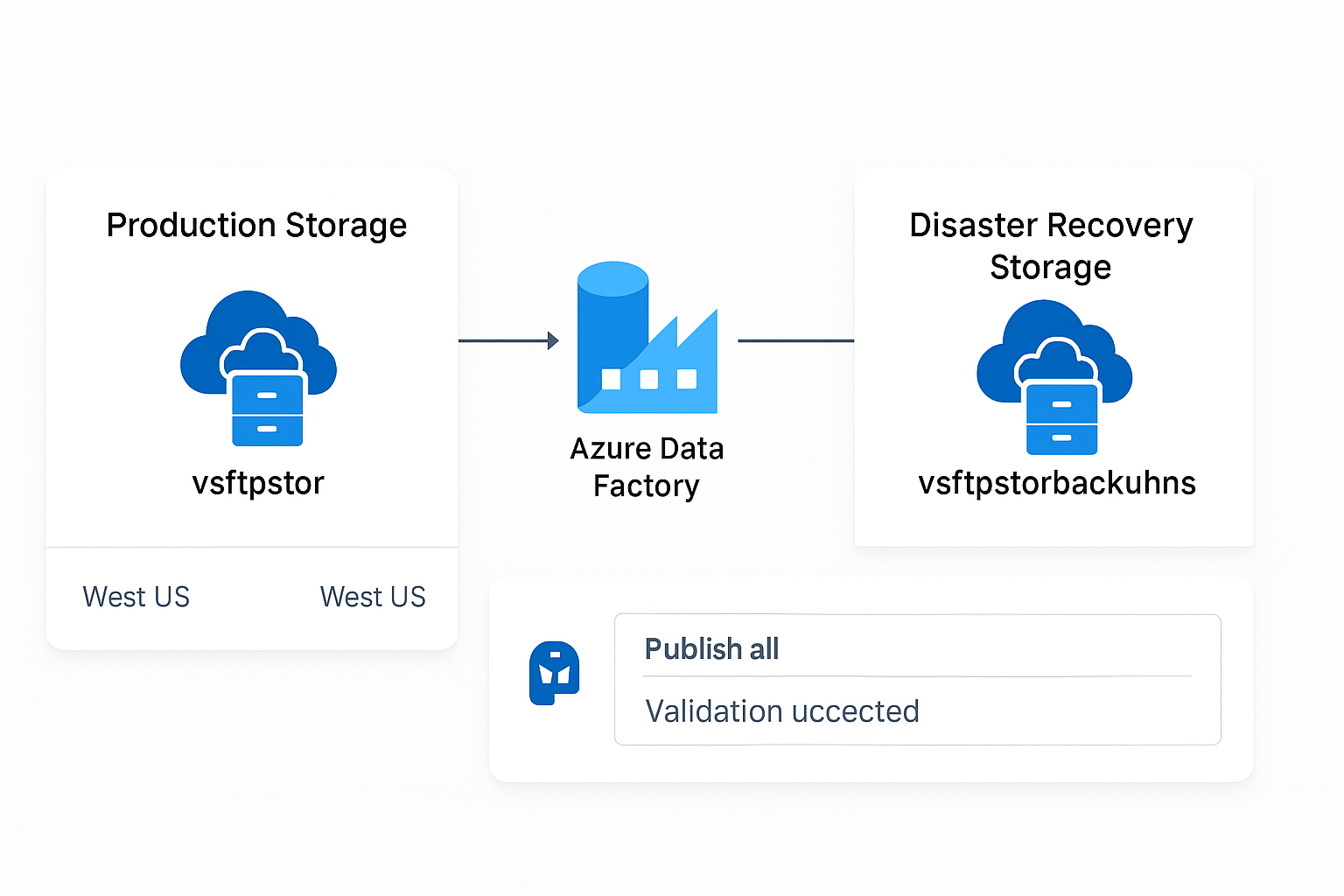
This project demonstrates how I designed and implemented a production‑grade, automated cross‑region backup solution for the Azure Storage Account vsftpstor. Using Azure Data Factory (ADF), I built a recursive, fault‑tolerant copy pipeline that replicates all folders, containers, and blobs to a disaster‑recovery storage account (vsftpstorbackuphns) located in a different region. This solution strengthens operational resilience, supports disaster recovery requirements, and leverages Azure-native security features such as Managed Identity and RBAC.
Architecture Diagram
Technologies Used
- Azure Data Factory (ADF) Pipelines
- Azure Storage Accounts (ADLS Gen2)
- Managed Identity (MSI) Authentication
- RBAC (Storage Blob Data Contributor)
- Binary Datasets & Recursive File Copy
- Blob Soft Delete & Container Soft Delete
Implementation Steps
1. Disaster Recovery Storage Account Creation
- Created
vsftpstorbackuphnsin a fully ADLS Gen2‑compatible region (West US 3). - Enabled Hierarchical Namespace (HNS) for ADLS Gen2 filesystem operations.
- Enabled blob and container soft delete for additional safety.
- Assigned Storage Blob Data Contributor to the ADF managed identity.
2. Data Factory Linked Services & Datasets
- Created Managed Identity–based linked services:
LS_vsftpstor_sourcepointing to production accountLS_vsftpstorbackup_sinkpointing to DR account
- Created Binary datasets for:
DS_vsftpstor_sourceDS_vsftpstorbackup_sink
- Left file system and directory fields blank to allow recursive root-level copying.
3. Pipeline Construction
- Built
PL_vsftpstor_backupwith a Copy Data activity. - Enabled:
- Recursive copy for all containers and folders
- Fault tolerance to skip locked, forbidden, or invalid files
- Default parallelism/DIU for optimized throughput
- Published pipeline and validated configuration.
4. Successful Execution
- Pipeline executed successfully using Debug mode.
- All containers and blob objects were replicated to
vsftpstorbackuphns. - Folder structure preserved exactly.
Issues Encountered & Solutions
1. Unsupported Region (ADF DFS Write Failure)
Issue: First backup account was created in South Central US, which caused EndpointUnsupportedAccountFeatures errors.
Solution: Recreated the DR account in West US 3, which fully supports ADLS Gen2 + Data Factory DFS operations.
2. Backup Account Not Visible in Linked Service Dropdown
Issue: HNS was disabled on the initial storage account.
Solution: Recreated the account with Hierarchical Namespace enabled.
3. "Test Connection" Failing in ADF
Issue: A known ADF UI limitation when Soft Delete + HNS are enabled on ADLS Gen2.
Solution: Ignored the UI test and validated through actual pipeline Debug execution, which succeeded.
4. Pipeline Publish Error (Logging)
Issue: Logging was enabled without a logging linked service.
Solution: Disabled optional logging in the Settings tab.
5. Accidental Dataset Deletion During Refresh
Solution: Recreated both datasets with correct settings and republished.
Final Outcome
- A fully automated, secure, cross‑region backup workflow
- No impact to production storage operations
- Resilient against accidental deletion (soft delete)
- Managed Identity provides secure, keyless authentication
- Ready for scheduled executions (daily, hourly, etc.)
Next Step: Add a scheduled trigger to automate backup execution.
Architecture Diagram (Text Version)
Backup Schedule & 30‑Day Retention Policy
Daily Backup Schedule:
A daily scheduled trigger was added to the Azure Data Factory pipeline
PL_vsftpstor_backup. The pipeline now runs automatically once per day, ensuring
continuous replication of all blob data from the production storage account
(vsftpstor) into the disaster recovery storage account
(vsftpstorbackuphns). This process keeps the DR copy up to date without
impacting production workloads.
30‑Day Retention Policy:
A Lifecycle Management rule was configured directly on the backup storage account to maintain
a rolling 30‑day retention window. The rule automatically deletes any blob whose
last modified date is older than 30 days. This cleanup applies
strictly to the disaster recovery storage account and has no effect on the primary
production storage environment. This ensures controlled storage usage and avoids excessive
accumulation of outdated backup data.
Together, the automated daily backup schedule and 30‑day retention policy create a reliable, self‑maintaining disaster recovery solution with zero manual intervention required.